
How to Retrain Your YouTube Algorithm
YouTube does give you controls over your feed. They expire, they barely work, or they are on the wrong device. Here is what each one actually does, and what to do instead.
Published 29 August 2026
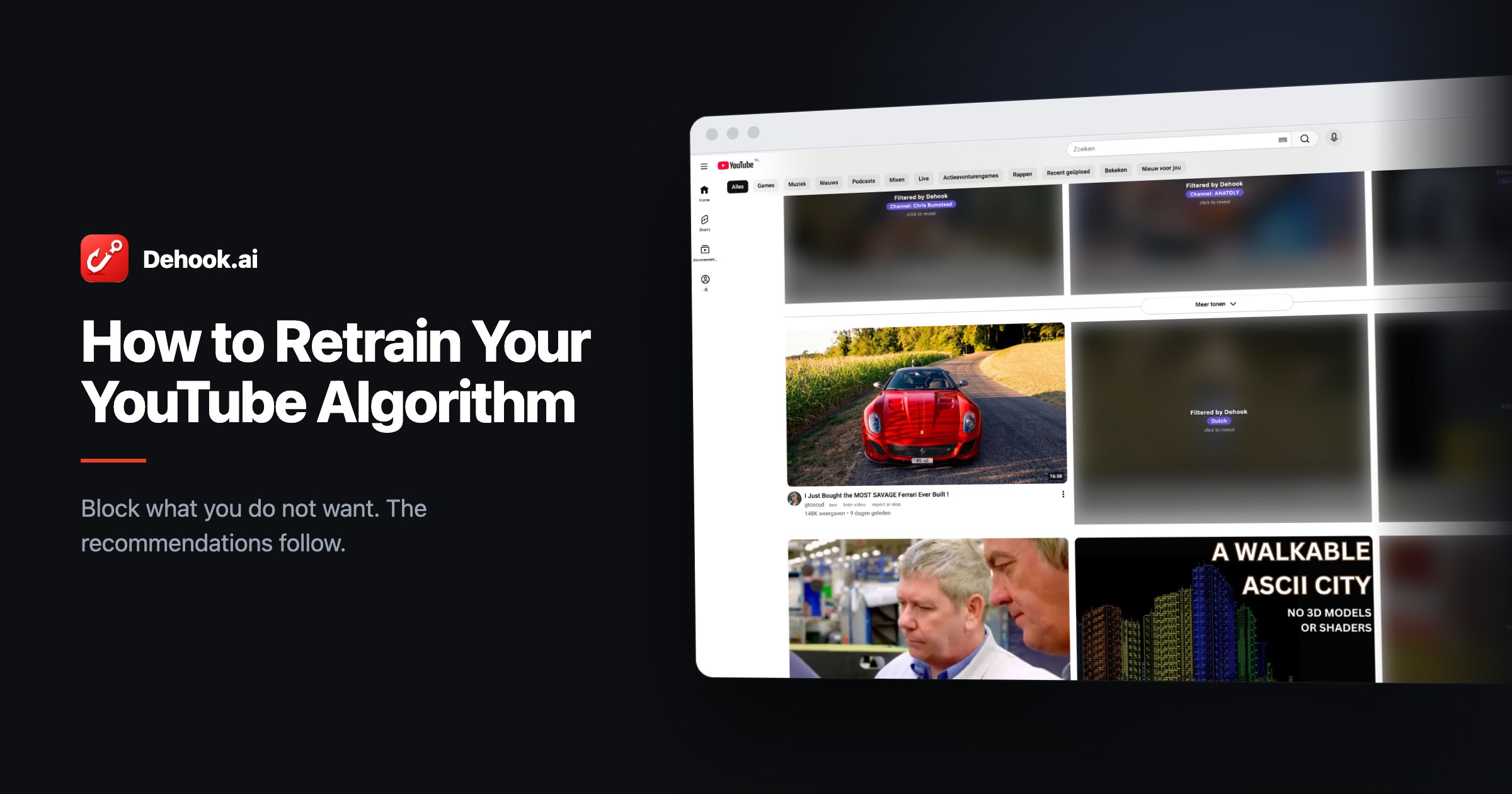
The YouTube homepage might be one of the most visited desktop websites of this day and age. Whether you are bored at work, taking a break, or watching something before going to bed, we all love YouTube for the original content it offers on every topic imaginable. It is also a great way to keep an eye on a niche that interests you.
That same homepage has plenty of problems, though. Channels that keep getting recommended even though you would rather never see them again. That one video that has been sitting in your feed for two months, that you are completely uninterested in.
The obvious response is to reach for YouTube’s own controls. Click Not interested, click Show fewer Shorts, click Don’t recommend channel. This article is about what those buttons actually do, which is a lot less than their labels suggest.
What the algorithm knows about you
YouTube builds your feed from a long list of signals. What you subscribe to, videos you like, videos you dislike, comments you post, a very heavy language and location bias, and plenty of factors you have never even thought of. In an August 2026 study of 171 big tech apps, Google’s apps declared the widest data collection of any developer in six App Store categories, including Music, Entertainment and Photo & Video. YouTube feeds directly into that pile.
Here is the part most people underestimate: you do not have to watch something for it to count. Clicking a video, or sharing it, is enough of a signal to keep more of it coming.
In my view that creates two big problems.
Clickbait and engagement bait
These are videos you do not really want to watch, but the title gets you because it is built to. You want to know the answer. Or you click because the subject makes you sad or angry, which happens to be an extremely effective way for creators and the algorithm to keep you engaged. You rarely feel better afterwards.
The news firehose
A lot of news outlets are on YouTube. They have huge subscriber counts and they push out content every single day. For some people that is fine. For others it is exhausting. The news is already everywhere: papers, radio, TV, and above all social media.
Non-English speakers get hit hardest here. Most of what gets recommended to them comes from country specific news channels, and you will often see five to ten videos all covering the same story. That is a big chunk of your feed gone before you have seen anything you chose.
Control one: Not interested
This is the button everyone reaches for first, and it is the weakest one YouTube ships.
Mozilla ran the largest study on this to date through RegretsReporter, its browser extension, using data donated by roughly 20,000 people across millions of recommendations. Not interested prevented about 11 percent of unwanted recommendations. Don’t recommend channel did better at about 43 percent. Mozilla’s own summary of the effect was “small and inadequate”, and 62 percent of the people surveyed said the controls did nothing or gave mixed results.
Use them anyway. Eleven percent is not nothing and it costs you one click. Just do not expect a button that stops a subject from coming back through a different channel next week. These are nudges to a weighting, not rules.
Control two: Show fewer Shorts, the button that expired
Shorts is where this gets clearest, because YouTube shipped a control that looked exactly like a setting and was not one.
The Show fewer Shorts button did what it said for a while. As Android Police documented, it hid the Shorts shelf for thirty days and then quietly reset itself, and it did not work reliably even during those thirty days. You had to keep reapplying a preference you had already expressed, which is a strange thing to ask of someone who has told you twice.
To their credit, YouTube fixed this. There is now a real off switch, documented by Google itself: Settings, then Time management, then Shorts feed limit, set to 0 minutes. That removes the Shorts feed instead of merely rationing it, and it rolled out to everyone in April 2026.
So what does work?
Notice the pattern across all three controls. They are temporary, or weak, or missing on the platform you are using. What they have in common is that you are asking the recommendation system to please stop, and it is treating that as one input among many.
The alternative is to stop asking and start filtering. Block the topics and languages you do not want, and those videos get blurred or hidden before you see them. Because you cannot see them, you do not click them. And that is the whole mechanism: YouTube counts how often it shows you something versus how often you bite. Take away the temptation, and the signal you send changes.
It is worth being honest about how this works. Dehook does not tell YouTube anything. It does not press any buttons on your behalf. It removes the bait before you can take it, and lets YouTube draw its own conclusions. That makes it a slow burn rather than an instant fix.
If you want the exact steps, they are in how to retrain your YouTube algorithm.
When something slips through, ban it
Dehook catches what it can, as well as it can. But titles are written by people who are good at writing titles, and a video with nothing obvious in it will occasionally make it through.
So here is my main piece of advice, and it is the habit that does the most work: use the ban button.
Any video that turns up and you do not want, click ban. That blocks the whole channel, for good, in one click. Not this video, not this topic. The channel. You never have to think about it again, and you will be surprised how few channels are responsible for how much of the annoyance.
Do that consistently and two things happen. Your feed gets quieter straight away. And that channel stops collecting anything from you at all: no click, no share, no hover, not the half second of preview that plays while you are still deciding. Every one of those counts, and every one of them goes to zero and stays there. That is exactly the number the recommendation model is reading.
So yes, banning sends a signal, and a strong one. It just travels the long way round. Dehook never messages YouTube; it changes what you do, and YouTube reads what you do. Worth knowing mainly because it explains the timing: this works through your behaviour rather than through a setting, so it accumulates over weeks instead of landing at once.
If you want to say it in YouTube’s own language too, use Don’t recommend channel on the same video. That is the one native control Mozilla measured as reasonably effective, and the two stack: yours makes the channel disappear, theirs nudges the model directly.
One more habit, and it costs nothing: like the videos that were worth your time. Do not overthink it. Anything you genuinely enjoyed, give it a like. You are not only removing bad signals, you are adding good ones, and a feed rebuilt purely on refusals has nothing to grow toward.
The first week looks bad. Push through it.
When you first install Dehook and start blocking topics, languages, Shorts and music, you may end up with a feed where most of the page is blocked out. That is a strange sight, and you will probably wonder what the point was.
Give it time. As YouTube notices that you really are not interested in certain topics, the recommendations shift. The blocked share of your feed shrinks, because there is less left to block.
They have not earned it
The people making clickbait and engagement bait are not making it for you. They are making it because your attention converts into their revenue, and outrage converts better than anything else. No video that leaves you feeling worse than before has earned the minutes you handed it.
Maybe it is dreaming to think this scales. But a recommendation feed is one of the few systems built almost entirely out of what individual people click, which makes it one of the few you can actually push back on without asking anyone’s permission. Enough people quietly refusing to click, and the flood of AI slop and engagement bait gets measurably less profitable to produce.
That is the difference between asking and filtering. Dehook is not only about blocking videos. It is mainly about helping you find the genuine gems on YouTube.
Sources
- Set a Shorts feed limit, YouTube Help. Google’s own documentation for the zero minute setting, including that it lives in the mobile app.
- YouTube user controls largely fail to stop unwanted recommendations, Mozilla Foundation. Roughly 20,000 RegretsReporter participants, millions of recommendations, plus a 2,758 person survey.
- How data-hungry are Big Tech companies?, Surfshark, August 2026. Worth knowing the limits: it counts the data types a developer declares in App Store privacy labels, not what an app is observed to send, and Surfshark sells privacy software. Meta topped the overall ranking; Google led six individual categories.
- I found the YouTube setting every Shorts hater should turn on, Android Police. The record of how the withdrawn Show fewer Shorts button behaved. Google never documented the thirty day reset and the feature is gone, so this is the best available account.
Filter the feed yourself
Dehook is free, runs entirely in your browser, and sends nothing anywhere.
Get Dehook - free